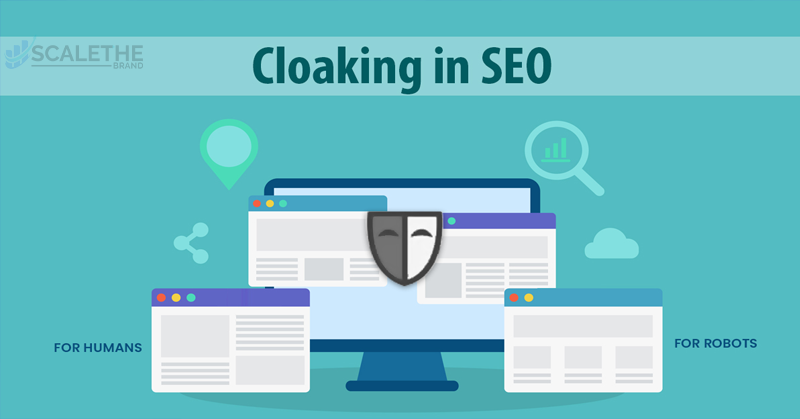
Have you ever clicked on a Google result expecting helpful information but instead landed on a page full of ads or unrelated content? That disappointing experience is often caused by a trick called cloaking in SEO.
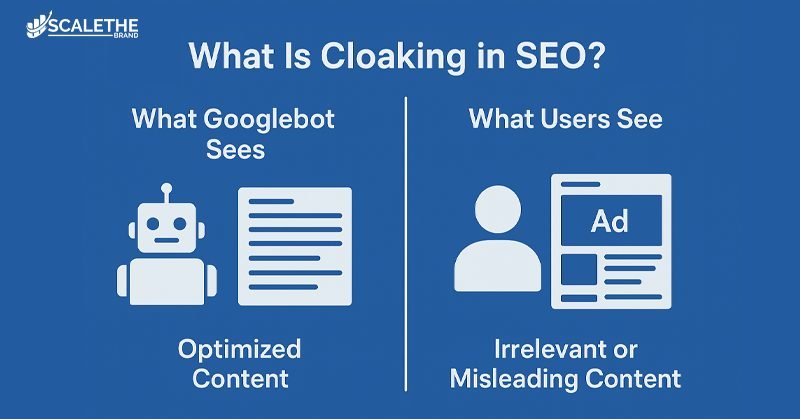
Cloaking is problematic since it deceives search engines as well as users. Real visitors see something quite different from the optimized, keyword-rich version of a page that search engine bots, like Googlebot, see. Although this deceptive tactic may increase exposure in the short term, it eventually results in Google fines, ranking decreases, and a major loss of trust.
We’ll explain what cloaking in SEO is, the many kinds of cloaking strategies, the reasons why certain websites employ it, the dangers and penalties associated with it, how Google finds it, and the best ways to prevent it. By the conclusion, you’ll understand why cloaking isn’t worth the danger and how to maintain the security and efficacy of your SEO approach.
Cloaking Meaning in Search Engine Optimization
In search engine optimization, cloaking refers to the deceptive practice of delivering different content or URLs to search engines than to human visitors. For example, Googlebot might see a page full of keyword-rich text about “healthy recipes,” while a user who clicks the same link may end up on a spammy ad page or unrelated content. This mismatch between what search engines crawl and what users experience is what makes cloaking a misleading SEO tactic.
Cloaking vs. White Hat SEO Practices
Unlike white hat SEO techniques that focus on transparency, user experience, and long-term growth, cloaking is designed to trick search engine crawlers into ranking a page higher than it deserves. White hat SEO involves strategies like content optimization, mobile responsiveness, and link building, where both users and search engines see the same content. Cloaking, on the other hand, hides the true user-facing page, which undermines trust and violates Google’s guidelines.
Why Is Cloaking Considered Black Hat SEO?
Cloaking is classified as black hat SEO because it exploits search engine algorithms through deception. Instead of earning rankings through quality, relevance, and authority, cloaking manipulates what crawlers see in order to secure an unfair advantage. This practice goes against Google’s Webmaster Guidelines, carries risks of manual penalties, ranking drops, or complete deindexing, and can harm a brand’s credibility in the long run.
Types of SEO Cloaking Techniques
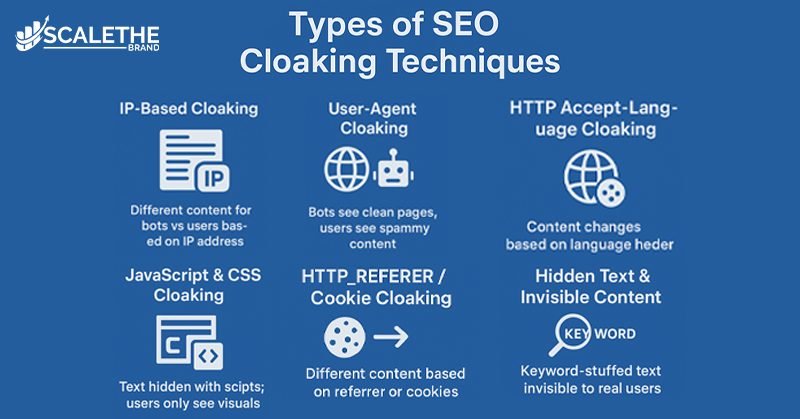
Cloaking can be carried out in several ways, but all involve showing search engines one version of content and users another. Below are the most common types of cloaking methods used in black hat SEO.
1. IP-Based Cloaking
In IP cloaking, the server identifies the visitor’s IP address to determine whether it belongs to a search engine crawler like Googlebot or a human user. If it’s a bot, the site displays a keyword-rich, optimized page; if it’s a real visitor, the page may instead show ads, spammy links, or unrelated content.
2. User-Agent Cloaking
User-agent cloaking works by reading the user-agent string data that reveals the type of browser, operating system, or bot making the request. Search engines are served a clean, optimized page, while regular users see an entirely different version, often filled with low-quality or promotional content.
3. HTTP Accept-Language Cloaking
This method uses the HTTP Accept-Language header to decide what version of content to show. Search engine crawlers might receive an English keyword-rich page, while real users could be redirected to unrelated or misleading content based on their language or region.
4. JavaScript and CSS Cloaking
With JavaScript or CSS cloaking, websites manipulate what users and bots see by hiding or swapping content after the page loads. For instance, search engines may crawl text in the HTML source, but human users only see images, banners, or empty spaces once JavaScript or CSS is applied.
5. HTTP_REFERER or Cookie-Based Cloaking
This cloaking technique relies on the HTTP_REFERER header or cookies stored in the browser to decide what to serve. A visitor from Google may be shown an optimized page, while someone coming from another site (or returning later) might get redirected to spam, affiliate content, or unrelated promotions.
6. Hidden Text and Invisible Content
One of the oldest cloaking tricks is using hidden text. Website owners make text the same color as the background, shrink it to zero size, or hide it behind CSS/JavaScript layers. This allows search engines to crawl keyword-heavy content that real users cannot see, creating a deceptive advantage in rankings.
Why Do Websites Use Cloaking?
Although cloaking is considered a black hat SEO technique, some websites still use it to gain short-term advantages in search rankings. Below are the most common reasons why site owners turn to cloaking.
1. Ranking for High-Volume Keywords
Many websites try to rank for popular, high-traffic keywords without offering relevant content. Cloaking lets them serve keyword-stuffed, optimized pages to search engines while showing unrelated ads, affiliate links, or low-value content to real users. Instead of cloaking, site owners should learn how to do keyword research properly so they can target relevant, high-traffic terms while still offering valuable content.
2. Tricking Search Engine Crawlers
Cloaking is often used to deceive search engine bots like Googlebot by presenting them with perfect, well-structured, keyword-optimized, and clean pages, while hiding spammy or misleading content from human visitors.
3. Promoting Restricted or Sensitive Content
Some sites use cloaking to disguise prohibited or sensitive material, such as gambling, adult content, or shady downloads. Search engines see a safe, optimized page, but users are redirected to the hidden or restricted content
4. Gaining an Unfair Competitive Edge
In highly competitive industries, certain websites use cloaking to outsmart competitors by manipulating search engines into ranking their pages higher than they deserve. While this may provide a temporary advantage, it often results in penalties or long-term damage when detected. Site owners should use legitimate outreach methods, such as niche edits vs guest posts, both of which are far safer and more sustainable.
Risks and Penalties of Cloaking
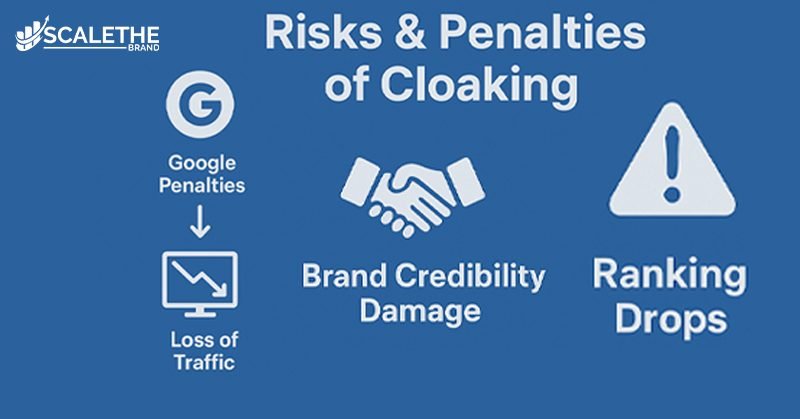
While cloaking might deliver temporary ranking boosts, the long-term risks and penalties far outweigh the short-lived gains. Search engines like Google are quick to detect cloaking, and the consequences can be severe.
Google Penalties for Cloaking
Google’s Webmaster Guidelines strictly prohibit cloaking. When detected, the search engine may issue a manual action penalty, demoting the site’s visibility. In extreme cases, a site can be completely removed from Google’s index, making it invisible in search results.
Real-World Example: In 2020, several gambling and adult content websites were caught using cloaking to show “clean” pages to Google while serving users with restricted material. Google applied manual penalties, and many of these sites were deindexed entirely, losing all their organic traffic overnight.
Impact on SEO Rankings and Traffic
Even without a full ban, cloaking can cause a sharp decline in SEO rankings and organic traffic. A page that once ranked high may drop significantly, leading to lost visibility, fewer leads, and reduced revenue. Recovering from such penalties often requires months of technical cleanup and reconsideration requests.
Loss of Trust and Brand Credibility
Beyond rankings, cloaking damages user trust. When visitors expect one thing from a search snippet but land on irrelevant or misleading content, they feel deceived. This not only increases bounce rates but can also hurt your brand reputation, making it harder to build authority and long-term customer relationships.
How Google Detects Cloaking
Google has developed advanced systems to detect cloaking and ensure its search results remain trustworthy. From automated crawlers to manual reviews, multiple layers of detection help expose sites using deceptive tactics.
Crawlers like Googlebot
Google uses crawlers such as Googlebot to scan and index websites. If the bot sees a version of a page that is heavily optimized but different from what human visitors experience, it raises a red flag for cloaking.
Comparing User vs Bot Content
Google frequently compares what search engines see versus what users see. This side-by-side analysis helps identify hidden text, redirects, or mismatched content. Any significant discrepancy can trigger an investigation or penalty.
Manual Reviews by Google
In addition to automated systems, Google’s team conducts manual reviews when suspicious behavior is reported or detected. If cloaking is confirmed, the site may receive a manual action penalty in Google Search Console.
User Reports and Spam Alerts
Google also relies on user reports to spot cloaking. Visitors who land on misleading pages can report spammy or deceptive sites. These reports feed into Google’s review systems and often result in penalties or deindexing.
How to Identify and Check Cloaking
Spotting cloaking isn’t always easy, but with the right methods and tools, website owners can quickly detect discrepancies and protect their sites from penalties.
Compare SERP Snippet with Page Content
A simple way to identify cloaking is to compare the search snippet on the SERP with the actual content of the page. If the snippet highlights keywords or text that don’t appear on the live page, it’s a strong sign of cloaking.
Use Online Cloaking Detection Tools (SiteChecker, DupliChecker, Screaming Frog)
Tools like SiteChecker, DupliChecker, and Screaming Frog can help uncover cloaking by scanning your site for hidden scripts, redirects, or mismatched content. Many of these tools provide free checks and are useful for both manual spot-checks and deeper audits.
Regular SEO Audits with Google Search Console and Semrush
Running routine SEO audits using platforms like Google Search Console and Semrush can help detect suspicious activity early. These tools let you view pages as Googlebot does, highlight indexing issues, and flag inconsistencies that might indicate cloaking.
Cloaking Detection Tools: Free vs. Paid Features
Before choosing the right solution, it helps to compare the most popular cloaking detection tools, from free options for quick checks to paid platforms for in-depth audits.
|
Tools
|
Free Features
|
Paid Features
|
|---|---|---|
|
Google Search Console
|
View pages as Googlebot sees them, Detect indexing issues, Basic crawl stats
|
No paid version (completely free)
|
|
Screaming Frog SEO Spider
|
Crawl up to 500 URLs, Spot hidden redirects, Find duplicate content
|
Unlimited crawling, Advanced cloaking checks, Integration with Google Analytics & Search Console
|
|
SiteChecker
|
Limited free cloaking checks, Basic SEO audit, URL analysis
|
Full site audits, Scheduled monitoring, Detailed reports on cloaking, redirects & errors
|
|
DupliChecker
|
Free URL cloaking check, Limited daily usage
|
Bulk checks, Advanced detection for hidden text, scripts & redirects
|
|
Semrush
|
No free cloaking check (only trial)
|
Deep site audits, Detect cloaking, hidden links & keyword stuffing, Continuous monitoring and alerts
|
What Isn’t Considered Cloaking?
Not all variations in content between users and crawlers count as cloaking. When implemented transparently and in line with Google’s guidelines, some practices are safe and even encouraged for better SEO and user experience.
Personalized Content and User Experience
Serving personalized content such as product recommendations for logged-in users or location-based suggestions is not considered cloaking. As long as search engines and users can access the same core content, personalization is acceptable.
Mobile vs Desktop Content Differences
Differences between mobile and desktop versions of a site are normal, especially with responsive design. Google supports mobile-first indexing, so optimizing layouts and features for different devices does not qualify as cloaking.
Geo-Targeted Content
Delivering content tailored to a visitor’s geographic location (e.g., showing prices in local currency or region-specific offers) is allowed. The key is ensuring that search engines also have access to this content and that it isn’t misleading.
Content Behind Paywalls (With Proper Setup)
Content hidden behind paywalls, subscriptions, or gated access is not considered cloaking if implemented correctly. By using methods like Flexible Sampling and structured data, site owners can ensure Google understands the content while still protecting premium material for subscribers.
Best Practices to Avoid Cloaking
The safest way to protect your site from penalties is to follow white hat SEO strategies and ensure your content remains transparent and consistent across all audiences. Here are some proven best practices to avoid cloaking.
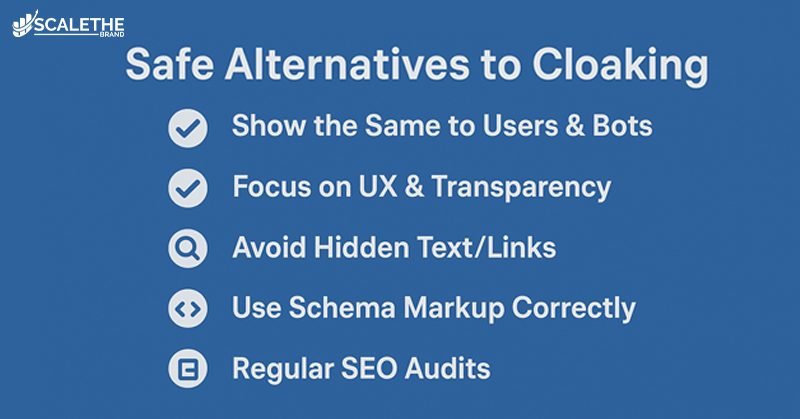
Show the Same Content to Users and Search Engines
Always deliver the same version of your content to both visitors and search engine crawlers. This builds trust and ensures your pages are indexed fairly without the risk of penalties.
Focus on User Experience and Transparency
Prioritize user experience (UX) by creating valuable, relevant, and easy-to-navigate content. When content is designed for people first, not just for bots, it naturally aligns with Google’s expectations.
Avoid Hidden Text or Links
Don’t use hidden text, invisible keywords, or disguised links to manipulate rankings. Techniques like matching text color to the background or shrinking text to zero size are clear signals of cloaking and should be avoided.
Use Schema Markup Correctly
Implement structured data (schema markup) only for content that’s actually present on the page. Misusing schema to mislead search engines into displaying fake rich snippets can be considered deceptive.
Stay Updated with Google Webmaster Guidelines
Google frequently updates its Search Essentials (formerly Webmaster Guidelines). Keeping up with these updates ensures your SEO practices remain compliant and effective in the long term.
Run Regular Technical SEO Audits
Perform routine SEO audits using tools like Google Search Console, Screaming Frog, or Semrush. Regular monitoring helps detect issues early, prevents accidental cloaking, and maintains site health.
Final Thoughts
Although it may appear like a quick way to improve ranks, cloaking in SEO has major long-term repercussions. Deceptive strategies can increase your website’s exposure for brief periods of time, but they also increase the danger of Google penalties, decreased traffic, and tarnished brand trust. Prioritize transparent, user-first tactics like responsive design, high-quality content production, and appropriate technical SEO above black hat SEO tactics.
These approaches not only keep your site safe from penalties but also help you build lasting trust, authority, and sustainable growth in search rankings. Instead of chasing shortcuts like cloaking, small websites are better off investing in transparent strategies such as content optimization, local SEO, and even affordable SEO services for small businesses that deliver sustainable, long-term growth.
Frequently Asked Questions
Here are some answers to common questions
Is cloaking ever allowed in SEO?
No. Cloaking is strictly against Google’s Webmaster Guidelines and is considered a black hat SEO tactic in all cases. Even if the intent isn’t malicious, cloaking can still trigger penalties or deindexing.
Can cloaking happen accidentally?
Yes, accidental cloaking can occur due to technical issues such as misconfigured scripts, server settings, or content delivery networks (CDNs). If this happens, it’s important to fix the issue quickly and submit a reconsideration request in Google Search Console if you’ve received a manual penalty.
How is cloaking different from personalization?
Personalization tailors content to user preferences (such as showing logged-in users custom recommendations) but still presents the same core information to both users and search engines. Cloaking, however, deliberately shows different content to deceive search engines, which makes it deceptive.
Can geo-targeted content be mistaken for cloaking?
Not if implemented properly. Geo-targeting is acceptable when it transparently shows location-based variations (like currency, offers, or language) to both users and crawlers. Cloaking occurs only if search engines see different content than real users.
Can CSS or JavaScript hiding be seen as cloaking?
Yes, if it’s used deceptively. For example, hiding keyword-stuffed text with display: none or swapping page content after Googlebot crawls can be flagged as cloaking. However, using CSS or JavaScript for legitimate design and interactivity (like dropdowns or tabs) is not a problem.
What should I do if my site is penalized for cloaking?
First, identify and remove the cloaking techniques by running a site audit with tools like Semrush, Screaming Frog, or Google Search Console. Once fixed, submit a reconsideration request to Google explaining the corrective actions you’ve taken. Recovery may take time, but transparency and compliance are key.